YupVox vs Fliki: AI Voice and Video Creation Compared
 Yupvox
YupVox vs Fliki: AI Voice and Video Creation Compared
YupVox vs Fliki is a choice between two AI creation workspaces with different centers of gravity. YupVox emphasizes voice production, dubbing, audio utilities, and publishing; Fliki combines script and URL inputs with voiceovers, visuals, captions, music, and video export. The better fit depends on whether your main task is producing and localizing speech or assembling complete videos for social and other channels.
What Each Platform Does Best
Both tools can turn written material into audio or video, but they organize the work differently—a distinction also explored in this text-to-speech and video voiceover comparison. Understanding that distinction helps you choose based on the content you actually need to produce.
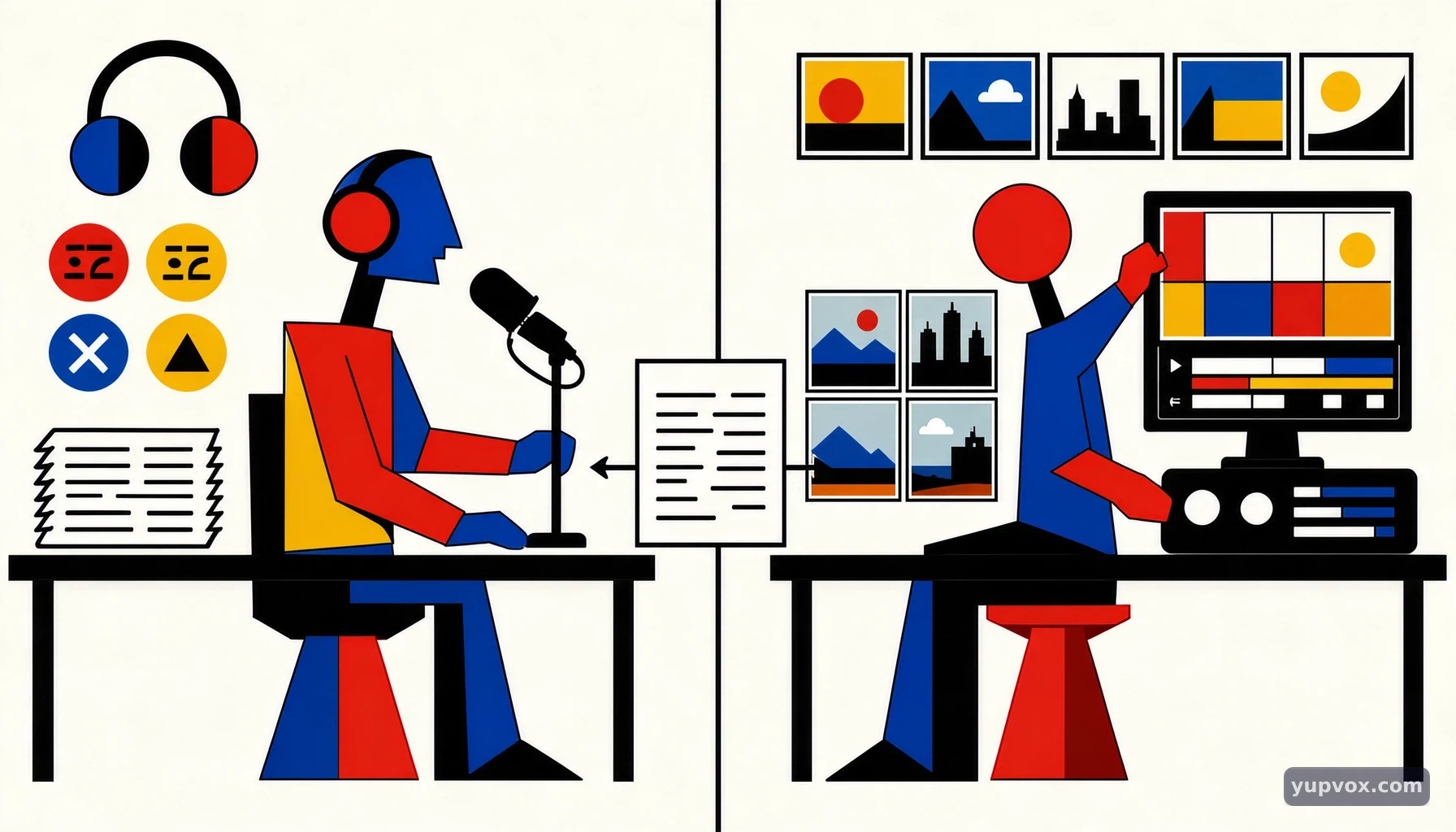 YupVox vs Fliki: AI Voice and Video Creation Compared - YupVox vs Fliki: What Each Platform Does Best
Voice production and video creation are different starting points
YupVox is presented as an AI voice and video creation studio. Its described workflow centers on text-to-speech, voice cloning, subtitle dubbing, audio translation, and video translation. The platform also describes tools for converting speech to text and working with subtitles, alongside a browser-based audio utility suite.
Fliki is described as an AI content-creation workspace. Users can begin with an idea, script, or URL, then work with AI-generated scripts, voiceovers, visuals, captions, and music. Its video workflow includes arranging scenes and selecting stock footage, AI-generated visuals, or uploaded media.
The distinction matters in practice. A podcaster who needs a narrated version of an article, or an editor localizing existing dialogue, may prioritize voice and dubbing controls, as explored in this video dubbing comparison. A creator starting with a topic and aiming to produce a complete social video may value a workflow that brings script, visuals, captions, and music together.
Who is each tool designed to serve?
YupVox’s stated audiences include YouTubers, TikTok creators, podcasters, film editors, and course creators. Its use cases include voiceovers, subtitle dubbing, audio localization, article-to-video creation, and multi-channel publishing. That range makes it relevant when voice is a recurring production task, rather than just one element in a single video.
Fliki’s stated use cases include YouTube videos and Shorts, Reels, TikToks, LinkedIn videos, podcasts, audiobooks, and faceless channels. Its scene-based approach is oriented toward creators who want to turn a script or source material into media with a visual layer.
Neither audience list proves that one platform will suit every creator in a category. A YouTube creator making narrated explainers may need different controls from a YouTube creator dubbing existing footage. Identify your repeat task first, then compare the workflow against that task.
Voice counts and language claims need careful reading
The supplied YupVox materials give conflicting voice-library counts: one page describes more than 4,000 AI voices, while a separate summary says more than 3,000. The safer conclusion is that the product describes a library of thousands of voices across more than 100 languages, without treating either count as a settled comparison figure.
Fliki describes more than 2,000 AI voices in more than 80 languages; one supplied page also states support for more than 100 dialects. Both products describe voice adjustment options, and creators comparing voice-generation workflows can also explore this AI voice generator comparison. YupVox lists speed, pitch, and volume controls; Fliki lists pace, pitch, emphasis, and pauses.
These are product-stated figures and controls, not independent measures of voice quality. For a real project, audition the target language and voice style, then check how the tool handles names, abbreviations, pauses, and sentence emphasis.
YupVox vs Fliki: Features at a Glance
The most useful comparison is task-based: which inputs, editing controls, outputs, and localization steps does each product describe? The table summarizes the supplied product information without implying independently verified performance or equivalent plan limits.
Compare the workflows, not only the feature lists
| Production need | YupVox | Fliki |
|---|---|---|
| Common starting point | Enter a script in TTS Studio, or provide audio for voice cloning | Enter an idea, paste a script, or provide a URL |
| Voice library stated in supplied materials | Thousands of voices; the supplied count differs between sources, at 3,000+ and 4,000+ | 2,000+ voices |
| Language coverage stated | 100+ languages | 80+ languages; one supplied page also states 100+ dialects |
| Voice controls described | Speed, pitch, and volume | Pace, pitch, emphasis, and pauses |
| Voice cloning | Described; the workflow says a voice can be cloned from 10 seconds of audio | Described; the supplied facts do not specify a minimum sample length |
| Localization and dubbing | Speech translation, subtitle-to-audio from SRT files, audio translation, and video translation | Voiceovers and multilingual voice features are described, but the supplied facts do not specify an equivalent SRT-based dubbing workflow |
| Visual creation | Storytelling video creation and re-rendering translated videos are described | Scenes can use stock footage, AI-generated visuals, or user uploads |
| Captions and music | Subtitle and dubbing workflows are described; the supplied facts do not detail a comparable music workflow | Captions and royalty-free music are described |
| Output formats and framing | MP3 export at 320 kbps is stated; translated video can be re-rendered as MP4 | MP4 or MP3 export; 16:9, 9:16, and 1:1 aspect ratios |
| Publishing | One-click multi-channel broadcasting is described | Publishing or scheduling to YouTube, TikTok, Instagram, LinkedIn, or Facebook is described |
| Free access stated | Free plan information is supplied, but this comparison does not assess plan equivalence | A free-forever offer and “no sign-up” trial are described; supplied material does not specify free-plan limits |
How to interpret the differences
The table is a feature reference, not a benchmark. The available materials do not provide a consistent, fully comparable set of plan limits or independently verified performance results. In particular, voice counts vary in the YupVox materials, and the stated free offers do not include matching detail about export limits or usage allowances.
Treat the most concrete workflow differences as decision points. If you have an SRT file and need translated, time-aligned speech, YupVox’s described subtitle and translation tools are directly relevant. If you want to turn a script into a scene-based video and need to choose aspect ratios, add captions, and include music, Fliki’s described workflow is more directly aligned.
Publishing features also need practical verification. The products describe different broadcasting and scheduling options, but the supplied information does not establish that every channel, account type, or publishing step works identically for all users.
How to Choose and Build a Workflow
A useful comparison starts with one representative project, not a feature checklist in isolation. Run the same source material through the steps you expect to repeat, and judge the work at the point you need to export or publish it.
YupVox vs Fliki: AI Voice and Video Creation Compared - YupVox vs Fliki: What Each Platform Does Best
A practical way to evaluate both products
- Choose a real source. Use a short script, article, or video segment similar to your usual work. For a dubbing test, include an SRT file if that is part of your process.
- Define the finished deliverable. Decide whether you need a standalone voiceover, a localized video, a captioned social clip, or several versions. Note the language, aspect ratio, and file type you need.
- Test the voice before building the whole project. Listen for pronunciation, pacing, emphasis, and pauses in a representative passage. If cloning is relevant, check that you have permission to use the voice and prepare a suitable sample.
- Complete the relevant workflow. In YupVox, the described path can begin with TTS or a voice-cloning sample, then move to a storytelling video or subtitle dubbing. In Fliki, start with an idea, script, or URL, then adjust the script and voice before refining visuals, captions, and music.
- Check the final output. Review synchronization, captions, framing, audio clarity, and whether the export suits the intended channel. Record editing time and any manual fixes needed.
This test reveals operational friction that a list of features cannot: for example, whether the voice needs extensive script edits or whether a scene-based video requires more visual correction than expected.
Matching a task to a platform
For narrating written material, compare how quickly each workflow gets you from text to a voiceover you would actually publish. YupVox specifically describes an article-to-video use case and TTS production; Fliki describes using ideas, scripts, or URLs as inputs and adding voiceovers and visuals. The distinction is whether you primarily need a polished narration or a broader assembled video.
For localizing existing video, begin with the assets you already have. If your process depends on SRT subtitles, translated speech, and time-aligned dubbing, YupVox’s stated localization workflow is especially relevant. If the task is instead to create a new video from a script, Fliki’s scenes, visuals, and captions may map more directly to the work.
For short-form social content, confirm the final dimensions and publishing steps before committing to a template. Fliki explicitly describes 16:9, 9:16, and 1:1 exports and publishing or scheduling across several named platforms. YupVox describes multi-channel broadcasting, but the supplied facts do not specify the same aspect-ratio list. That difference is worth testing if one project must be repurposed across formats.
What to check before committing to a repeat process
A trial should answer practical questions that matter to your content, rather than simply confirming that a sample can be generated. Check whether the intended language and voice style are available; how well the voice handles your terminology; and whether editing controls let you produce the delivery you want without extensive workarounds.
For video, inspect visual relevance scene by scene. Captions should match the spoken content, and the chosen aspect ratio should preserve the subject and any on-screen text. For dubbed footage, listen for timing and verify that subtitle segments match the translation and audio.
Also confirm the current free-use terms directly on each product. The supplied information describes a YupVox free plan and a Fliki free-forever offer, but does not establish comparable usage or export limits. Avoid basing a production decision on a headline offer alone: test the complete path from input to usable output.
Pro Tips and Common Production Mistakes
AI can speed up routine voice and video work, but the result still depends on the source material and review process. A short quality check before export prevents avoidable pronunciation, timing, and visual problems.
Prepare scripts for speech, not just for reading
Written prose often contains long sentences, parenthetical remarks, abbreviations, and punctuation that do not translate cleanly into spoken delivery. Before generating audio, read the script aloud and split sentences where a listener would naturally pause. Spell out uncommon abbreviations when pronunciation matters, and consider providing pronunciation guidance through the product’s available script controls or text formatting.
Test a representative passage before processing a full episode or course. Include proper nouns, numbers, technical terms, and a sentence with a question or contrast. Listen for whether emphasis supports the meaning, not just whether the words are intelligible.
The products describe different adjustment controls, so the exact editing options may vary. Fliki lists emphasis and pauses alongside pace and pitch; YupVox lists speed, pitch, and volume. Keep the goal audience-focused: conversational narration for a tutorial may need a different pace from a short promotional explainer, even when the underlying script is similar.
Review dubbing as a synchronized edit
Translation alone does not guarantee a usable dub. Segment length, pauses, and the timing of on-screen action all affect whether a translated voiceover feels aligned with the original video. When using an SRT-based workflow, check the subtitle segments against the finished audio and picture, paying particular attention to short transitions and dialogue that overlaps with visual cues.
A practical example is a training video with brief instructions over a demonstration. If the translated line runs longer than the original, it may continue after the relevant action has ended. Shortening the script or adjusting its timing may be more effective than simply increasing speech speed.
YupVox describes translating speech, punctuating and translating scripts, synthesizing time-aligned voiceovers, and re-rendering translated videos. Those are useful workflow descriptions, but the finished file still needs human review for meaning, pronunciation, and synchronization.
Avoid common video and voiceover errors
Several quality issues are easy to miss when the creator focuses only on generation:
- Choosing a voice based on its label alone. Listen to the target language and sample the type of text you will actually publish.
- Skipping caption checks. Compare captions with the narration, especially after changing a script or translation.
- Treating aspect ratios as simple crops. Review the subject and on-screen text in each intended frame, particularly when adapting a wide video to a vertical format.
- Assuming publishing removes final review. Check the rendered file and destination settings before scheduling or posting.
- Using a cloned voice without authorization. Use only audio you have the right to use, and follow applicable consent and disclosure requirements.
For a short social clip, review a complete export on the device and platform format intended for viewers. For an audiobook or podcast, listen to longer stretches: a voice that works for a short clip may become tiring over an extended session.
Which One Fits Your Situation?
The right choice follows from the production bottleneck: voice and localization work on one side, or assembling complete videos on the other. Use your recurring deliverable, required inputs, and final export needs to make the decision.
YupVox vs Fliki: AI Voice and Video Creation Compared - YupVox vs Fliki: What Each Platform Does Best
Choose around your main deliverable
YupVox is the more directly aligned option when your recurring work centers on voice production, subtitle dubbing, or translating audio and video. Its described features include TTS, voice cloning, SRT-based subtitle-to-audio, speech-to-text, audio utilities, and translated-video re-rendering. A creator working with existing footage and aiming to localize it should investigate those workflows first.
Fliki is the more directly aligned option when the job begins with an idea, script, or URL and ends with an assembled video containing voice, visuals, captions, and music. Its described scene workflow and aspect-ratio exports address creators producing formats such as Shorts, Reels, TikToks, and LinkedIn videos.
This is a workflow comparison, not a claim that one product cannot perform tasks associated with the other. The available product information supports different areas of emphasis, but does not provide an independent, like-for-like quality test.
Consider your role and content library
A podcaster or course creator may already have scripts and primarily need consistent narration. In that case, evaluate voice selection, editing effort, and how the audio fits the publishing process. A film editor may already have visuals and need translated dialogue, making subtitle alignment and re-rendering more central than stock footage selection.
A faceless-channel creator may value the ability to bring narration and scene visuals together. A social media manager producing the same topic in multiple formats should check aspect-ratio handling, captions, and channel publishing steps. If you work across both kinds of projects, compare each platform on separate representative tasks rather than expecting one test video to answer every question.
YupVox’s AI voice and audio tools are relevant to creators evaluating transcription, voice, and audio utilities. For teams comparing dubbing with avatar-led video creation, the YupVox and Synthesia comparison examines a different but related production choice.
Make the decision with a repeatable test
Before moving a regular production workflow, use a small batch of representative content. Include one short voiceover, one example that tests pronunciation, and one video or subtitle task if localization is part of your work. Compare the amount of correction needed, not just generation speed.
Write down your non-negotiables: target language, voice style, source format, aspect ratio, export type, captions, and publishing destination. Then check those requirements against the current product interface and terms. Because the supplied materials do not establish equivalent plan limits or independent performance results, a direct test is more reliable than comparing headline counts alone.
FAQ
Is YupVox or Fliki better for turning a script into a video?
It depends on which part of video creation takes most of your time. Fliki describes a workflow that combines a script or URL with voiceovers, scenes, visuals, captions, and music. YupVox also describes storytelling video creation, while emphasizing TTS, dubbing, and audio production. Test a representative script in both and compare the finished video, the editing required, and whether the output format fits your intended channel.
Which platform is more suitable for dubbing existing videos?
YupVox’s supplied feature descriptions specifically include subtitle-to-audio from SRT files, speech and video translation, time-aligned voiceovers, and translated-video re-rendering. That makes it a relevant tool to evaluate when localization of existing footage is the main task. Fliki’s supplied facts emphasize creating videos from inputs such as scripts and URLs, with visuals, captions, and music. Check each product’s current workflow against your actual subtitle and timing requirements.
How do the voice libraries compare?
The supplied materials describe more than 2,000 voices and more than 80 languages for Fliki, with one page also stating more than 100 dialects. YupVox materials describe thousands of voices across more than 100 languages, but conflict on whether the count is 3,000+ or 4,000+. These are product-stated figures, not a direct quality comparison. Audition voices in your target language and test the vocabulary and delivery style you need.
Are their free offers directly comparable?
Not on the information available here. The supplied YupVox page describes a free plan with TTS characters, standard voices, and browser-based audio tools. Fliki describes a free-forever plan and a no-sign-up trial, but the supplied facts do not specify its free-plan credit or export limits. Check each product’s current terms for the exact usage allowances and restrictions, then test whether the free access covers your intended workflow.
Want to generate AI voices or dub your video?
Experience 500+ human-like voices for free with next-gen VieNeu & OmniVoice engines.
Frequently Asked Questions
Quick answers to common questions about this topic
Yupvox
Senior AI Audio Engineering Consultant
Expert in generative audio synthesis and synthetic media workflows with over a decade of experience in digital content production and AI voice modeling.
Related Articles
Explore more guides and insights on AI audio
 General
YupVox vs Google Cloud Text-to-Speech: Which TTS Platform Is Better?
 General
YupVox vs Amazon Polly: AI Text-to-Speech Compared
 General